Reject Purchase Requisition Workflow with User Comment
Reject Purchase Requisition workflows in D365 F&O using X++ while capturing the user’s comment during the workflow rejection process.
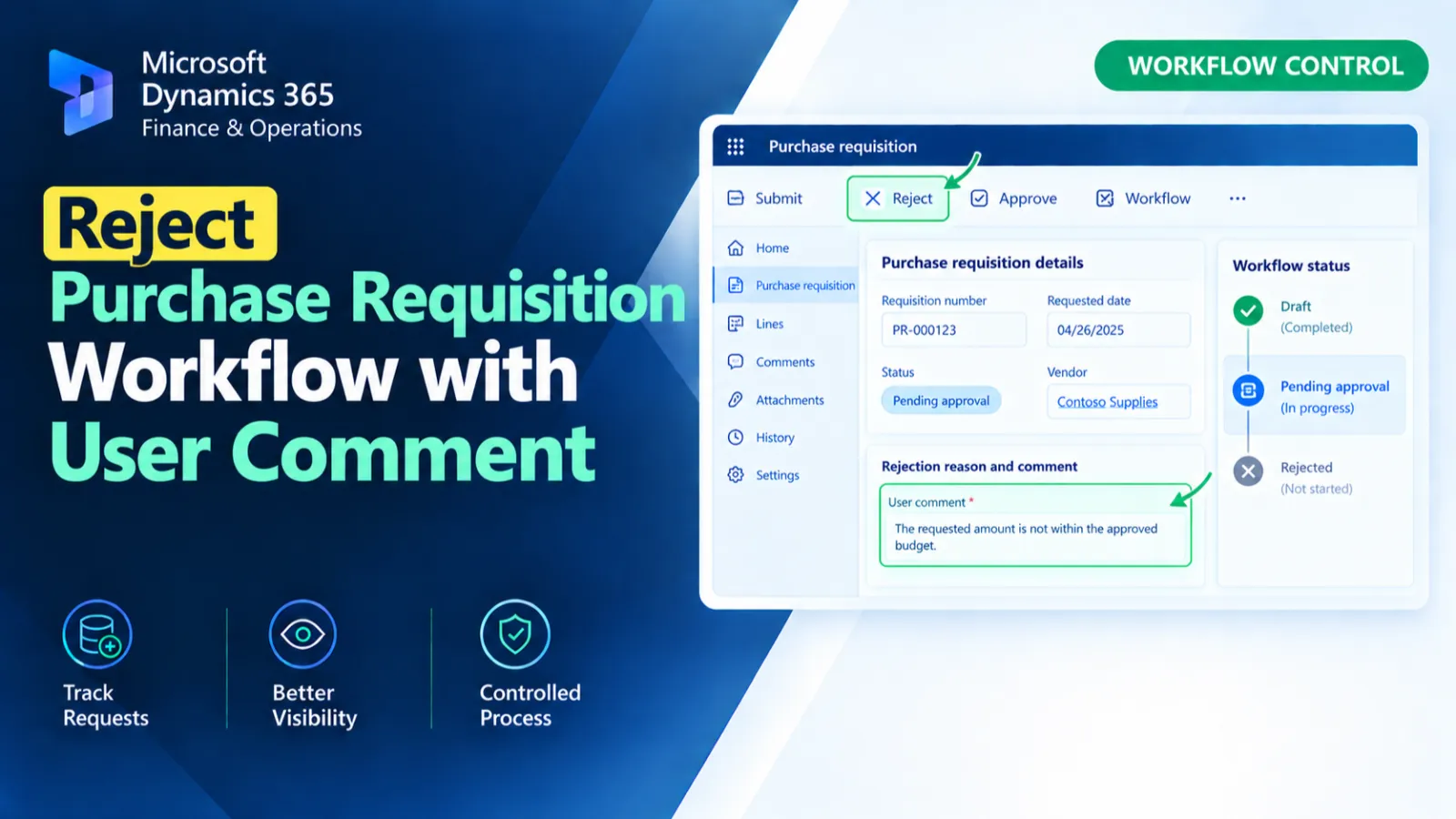
This customization handles the Rejected button click on the PurchReqTableListPage and allows the user to enter a rejection comment. It identifies the pending workflow work item for the selected purchase requisition and current user. If found, the workflow action is returned through WorkflowWorkItemActionManager; otherwise, a warning is displayed.
X++ Code
    public static void Rejected_OnClicked(FormControl sender, FormControlEventArgs e)
    {
        FormDataSource purchReqTableDS = sender.formRun().dataSource(formDataSourceStr(PurchReqTableListPage, PurchReqTable));
        PurchReqTable purchReq = purchReqTableDS.cursor();
        WorkflowWorkItemTable workItemTable;
        Dialog dialog;
        DialogField dialogComment;
        str commentText;

        // Ask user for rejection comment
        dialog = new Dialog("Enter Rejection Comment");
        dialogComment = dialog.addField(extendedTypeStr(Notes));

        if (!dialog.run())
        {
            return;
        }

        commentText = dialogComment.value() ? dialogComment.value() : "";

        UserId currentUser = curUserId();

        select firstOnly forUpdate workItemTable
        where workItemTable.RefTableId == tableNum(PurchReqTable)
&& workItemTable.RefRecId   == purchReq.RecId
&& workItemTable.Status     == WorkflowWorkItemStatus::Pending
&& workItemTable.UserId     == currentUser;

        if (workItemTable.RecId)
        {
            try
            {
                ttsbegin;

                WorkflowWorkItemActionManager::dispatchWorkItemAction(
                workItemTable,
                commentText, // rejection comment
                currentUser,
                WorkflowWorkItemActionType::Return, // Reject
                menuItemActionStr(PurchReqApprovalReject),
                ''
            );

                ttscommit;
                info("Workflow rejected.");
            }
            catch
            {
                ttsabort;
                error("Error occurred while rejecting workflow.");
            }
        }
        else
        {
            warning("No pending workflow item found for this requisition.");
        }
    }
Process Flow
The Rejected button click event retrieves the selected PurchReqTable record and prompts the user for a rejection comment.
It searches for a pending WorkflowWorkItemTable record belonging to the current user and purchase requisition.
If a pending work item is found, dispatchWorkItemAction() returns the workflow with the entered comment inside a transaction.
If no work item is found or an error occurs, the appropriate warning or error message is displayed.
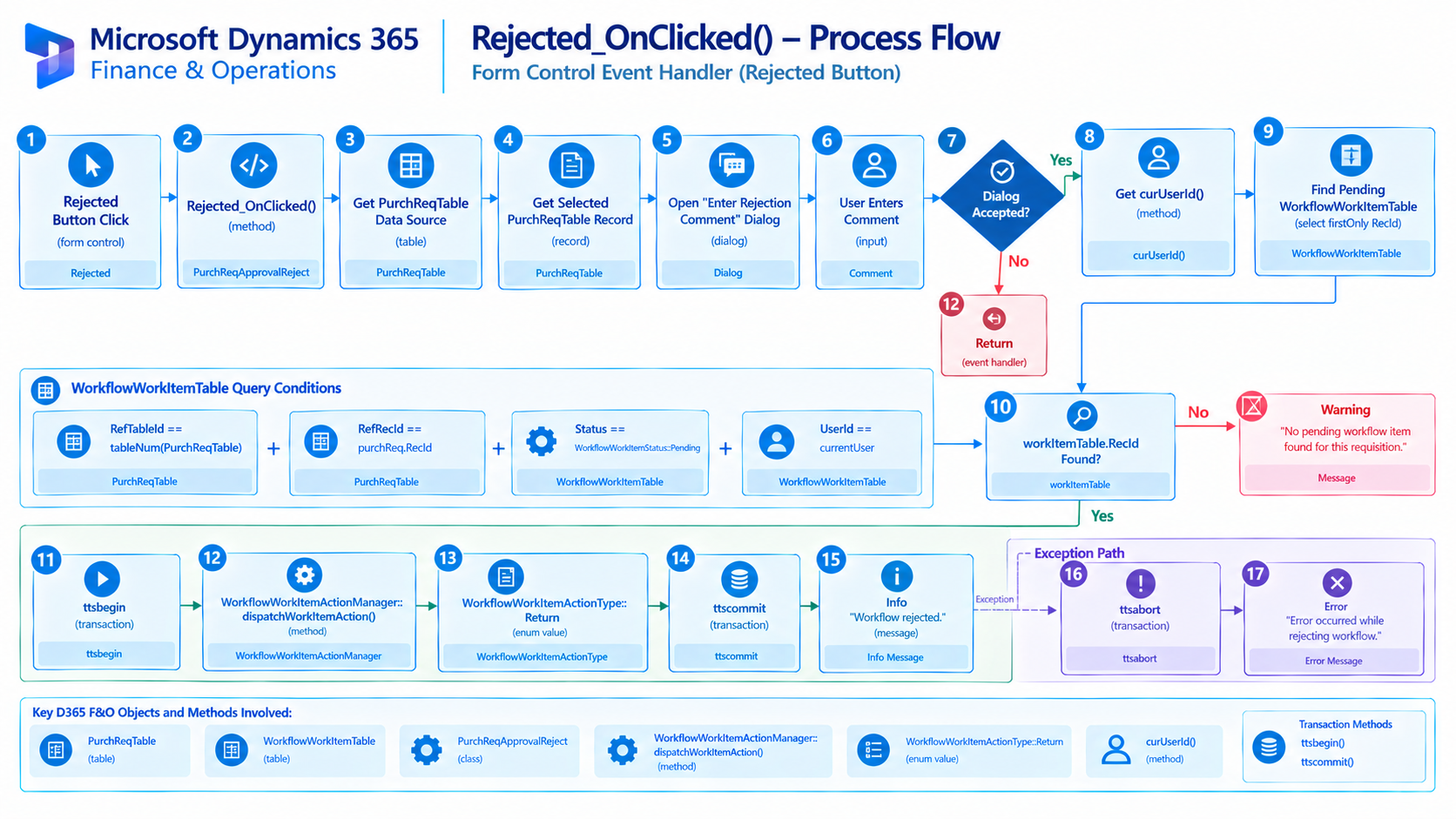
Figure: Flow of rejecting a purchase requisition workflow with a user-provided comment.

Related Posts
Approve Purchase Requisition Workflow
Approve Purchase Requisition workflows in D365 F&O using X++ for workflow approval processing and business logic customization.
Get Exchange Rate for Currency Conversion
Retrieve exchange rates in D365 F&O using X++ for currency conversion and exchange rate-based financial calculations.
Control Purchase Order Form Fields Based on User Security
Control Purchase Order form fields in D365 F&O using X++ based on user security and access requirements.