Approve Purchase Requisition Workflow
Approve Purchase Requisition workflows in D365 F&O using X++ for workflow approval processing and business logic customization.
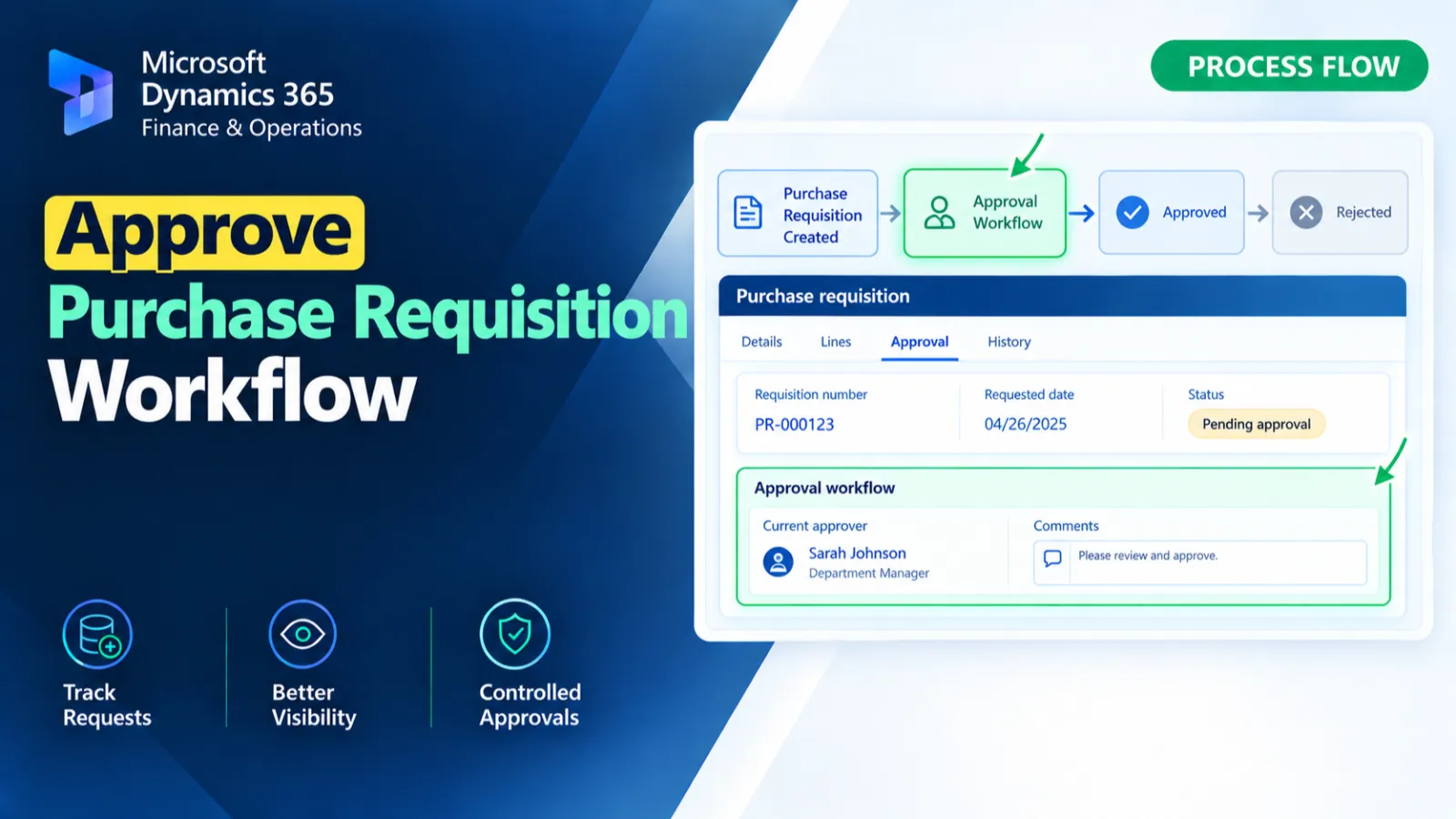
This customization handles the Approved button click on the PurchReqTableListPage and processes the selected purchase requisition workflow. It identifies the pending workflow work item assigned to the current user and completes the workflow using WorkflowWorkItemActionManager. If no pending work item is found, a warning is displayed.
X++ Code
    public static void Approved_OnClicked(FormControl sender, FormControlEventArgs e)
    {
        FormDataSource purchReqTableDS = sender.formRun().dataSource(formDataSourceStr(PurchReqTableListPage, PurchReqTable));
        PurchReqTable purchReqTable = purchReqTableDS.cursor();
        WorkflowWorkItemTable workItem;
        UserId currentUser = curUserId();

        select firstOnly forUpdate workItem
        where workItem.RefTableId == tableNum(PurchReqTable)
&& workItem.RefRecId   == purchReqTable.RecId
&& workItem.Status     == WorkflowWorkItemStatus::Pending
&& workItem.UserId     == currentUser;

        if (workItem.RecId)
        {
            try
            {
                ttsbegin;

                WorkflowWorkItemActionManager::dispatchWorkItemAction(
                workItem,
                '', // Optional comment
                currentUser,
                WorkflowWorkItemActionType::Complete,
                menuItemActionStr(PurchReqApprovalApprove),
                ''
            );

                ttscommit;
                info("Workflow approved successfully.");
            }
            catch
            {
                ttsabort;
                error("Error occurred while approving workflow.");
            }
        }
        else
        {
            warning("No pending workflow item found for this requisition.");
        }
    }
Process Flow
The Approved button click event retrieves the selected PurchReqTable record and the current user.
It searches for a pending WorkflowWorkItemTable record associated with the purchase requisition and current user.
If a work item is found, the workflow action is completed through WorkflowWorkItemActionManager inside a transaction.
If no pending work item is found or an exception occurs, the corresponding warning or error message is displayed.
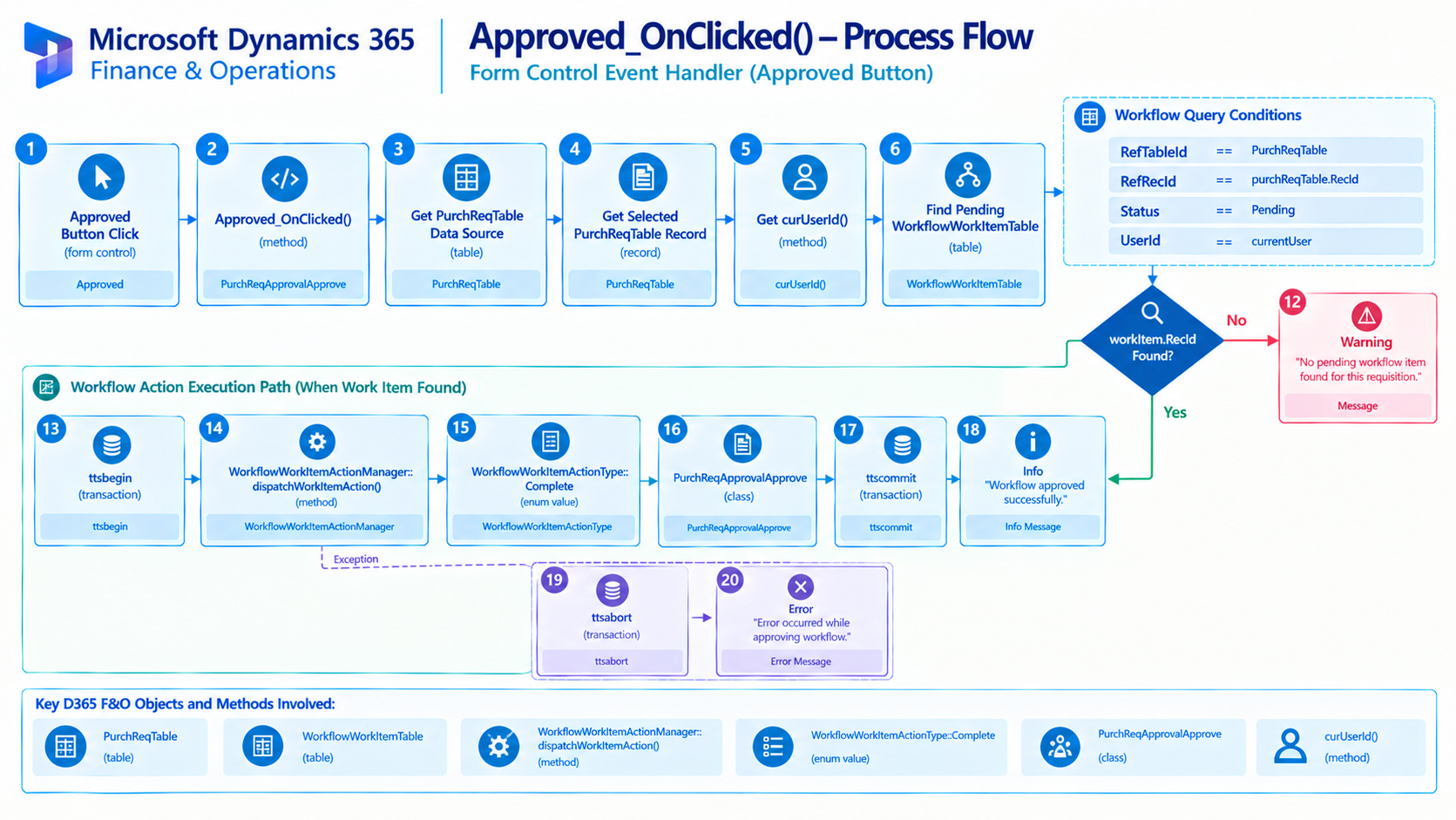
Figure: Flow of approving a purchase requisition workflow for the current user.

Related Posts
Reject Purchase Requisition Workflow with User Comment
Reject Purchase Requisition workflows in D365 F&O using X++ while capturing the user’s comment during the workflow rejection process.
Get Exchange Rate for Currency Conversion
Retrieve exchange rates in D365 F&O using X++ for currency conversion and exchange rate-based financial calculations.
Control Purchase Order Form Fields Based on User Security
Control Purchase Order form fields in D365 F&O using X++ based on user security and access requirements.