Enable or Disable Purchase Requisition Approval Button Based on Workflow Status
Control the Purchase Requisition Approval button in D365 F&O using X++ and workflow status to manage its enabled or disabled state.
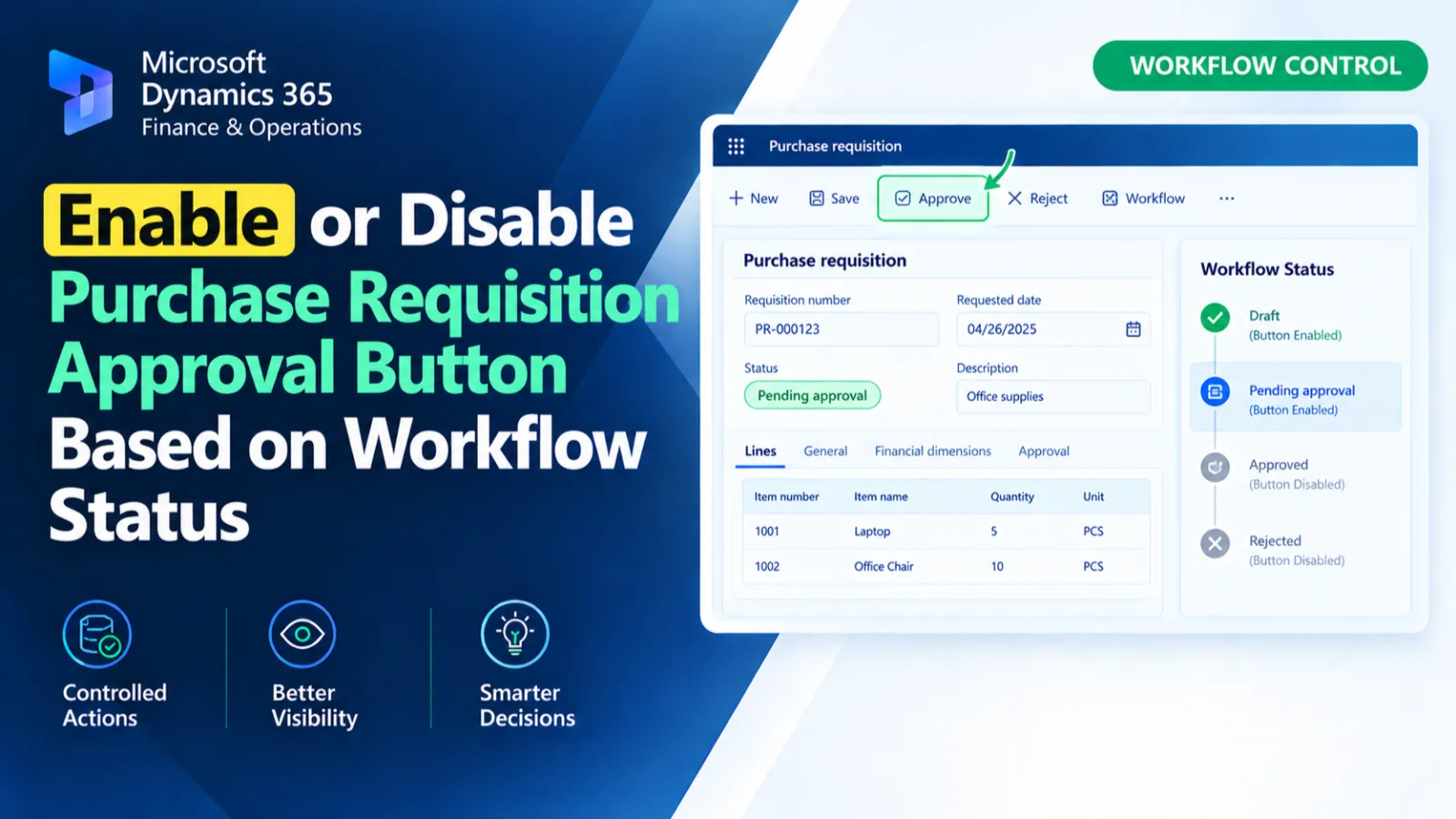
This form data source event handler controls the ApproveBtn button on the PurchReqTable form. When the data source is activated, it checks whether the current purchase requisition has a pending workflow work item. The approval button is enabled when pending work exists and disabled when no pending work item is found.
X++ Code
[FormDataSourceEventHandler(formDataSourceStr(PurchReqTable, PurchReqTable), FormDataSourceEventType::Activated)]
public static void PurchReqTable_OnActivated(FormDataSource sender, FormDataSourceEventArgs e)
{
    FormRun formRun = sender.formRun();
    FormButtonControl approvedButton = formRun.design().controlName("ApproveBtn");
    PurchReqTable purchReqTable = sender.cursor();

    if (ED_WorkflowHelperApproveReject::hasPendingWorkItem(purchReqTable))
    {
        approvedButton.enabled(true);
    }
    else
    {
        approvedButton.enabled(false);
    }
}
Process Flow
When the PurchReqTable data source is activated, the handler gets the current form and purchase requisition record.
It locates the ApproveBtn control and checks the current requisition using ED_WorkflowHelperApproveReject::hasPendingWorkItem().
If a pending workflow work item exists, the approval button is enabled.
Otherwise, the approval button is disabled.
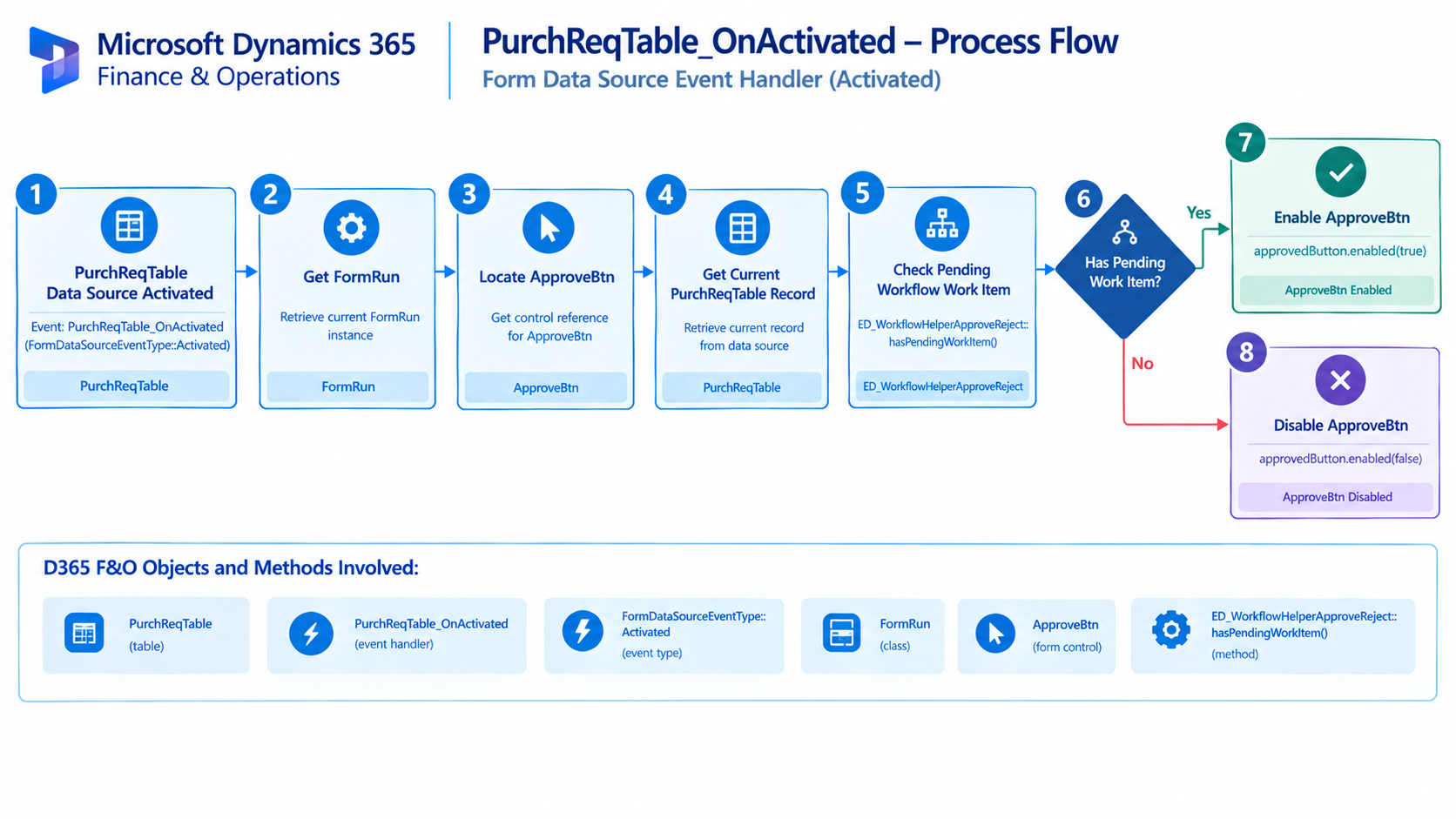
Figure: Flow of controlling the purchase requisition approval button based on pending workflow work items.

Related Posts
Get Exchange Rate for Currency Conversion
Retrieve exchange rates in D365 F&O using X++ for currency conversion and exchange rate-based financial calculations.
Control Purchase Order Form Fields Based on User Security
Control Purchase Order form fields in D365 F&O using X++ based on user security and access requirements.
Check Pending Workflow Work Item for Purchase Requisition
Check pending Purchase Requisition workflow work items in D365 F&O using X++ to identify approval status and support workflow processing.