Copy Attachments from Vendor Invoice Information to Vendor Open Transactions
Copy Attachments from Vendor Invoice Information to Vendor Open Transactions
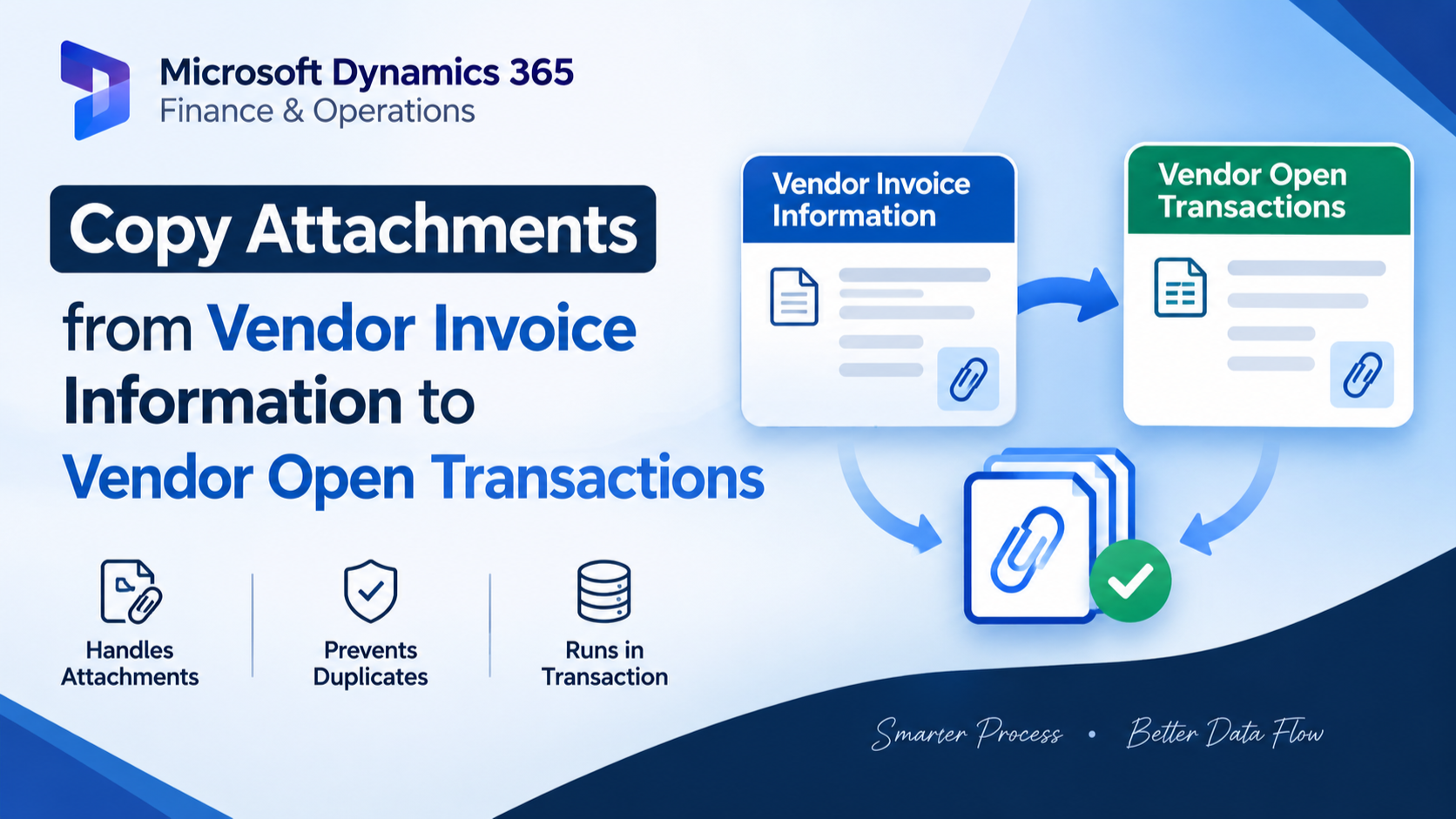
This customization copies document attachments from a VendInvoiceInfoTable record to its related VendTransOpen record after the vendor invoice information is updated. It identifies the related vendor transaction and prevents duplicate attachment links before creating the required DocuRef records.
X++ Code
class ED_CopyAttachmentsFromPOToVendorOpenInvoice

{
    public static void copyAttachmentsPOTOVendorInvoice(VendInvoiceInfoTable _sourceInvoice, VendTransOpen _VendTransOpen)

    {

        DocuRef     srcDocuRef;

        DocuRef     trgDocuRef;

        ttsBegin;

        while select srcDocuRef

        where srcDocuRef.RefTableId == _sourceInvoice.TableId

           && srcDocuRef.RefRecId   == _sourceInvoice.RecId

        {

            // Duplicate check (recommended)

            select firstOnly RecId from trgDocuRef

            where trgDocuRef.RefTableId == _VendTransOpen.TableId

               && trgDocuRef.RefRecId   == _VendTransOpen.RecId

               && trgDocuRef.ValueRecId == srcDocuRef.ValueRecId;

            if(trgDocuRef.RecId)

            {

                continue;

            }

            // Copy DocuRef (link)

            trgDocuRef.clear();

            trgDocuRef.RefTableId    = _VendTransOpen.TableId;

            trgDocuRef.RefRecId      = _VendTransOpen.RecId;

            trgDocuRef.ValueRecId    = srcDocuRef.ValueRecId;

            trgDocuRef.TypeId        = srcDocuRef.TypeId;

            trgDocuRef.Name          = srcDocuRef.Name;

            trgDocuRef.Notes         = srcDocuRef.Notes;

            trgDocuRef.Restriction   = srcDocuRef.Restriction;

            trgDocuRef.RefCompanyId  = curext();;

            trgDocuRef.insert();

        }

        ttsCommit;

    }

}

[PostHandlerFor(tableStr(VendInvoiceInfoTable), tableMethodStr(VendInvoiceInfoTable, update))]

public static void VendInvoiceInfoTable_update_Post(XppPrePostArgs args)

{

    VendInvoiceInfoTable vendInvoiceInfo = args.getThis();

    VendTrans           vendTrans;

    VendTransOpen VendTransOpenV1;

    select firstOnly vendTrans

        join VendTransOpenV1

    where vendTrans.Invoice         == vendInvoiceInfo.Num

       && vendTrans.AccountNum      == vendInvoiceInfo.InvoiceAccount

       && VendTransOpenV1.RefRecId  == vendTrans.RecId;

    if (vendTrans.RecId)

    {

        ED_CopyAttachmentsFromPOToVendorOpenInvoice::copyAttachmentsPOTOVendorInvoice(vendInvoiceInfo, VendTransOpenV1);

    }

}
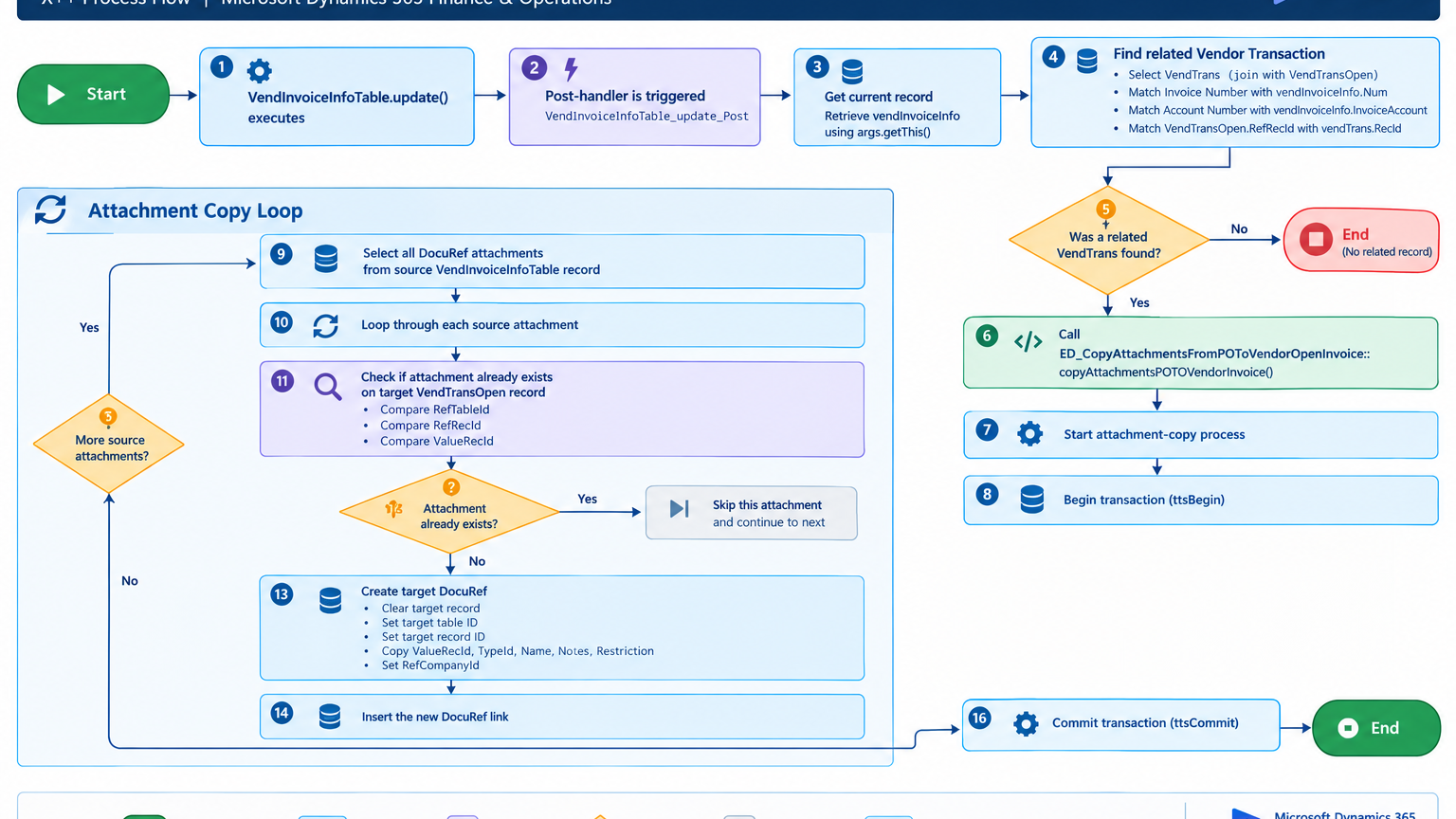
Process Flow
The post-handler is triggered after
VendInvoiceInfoTable.update()executes.The related
VendTransandVendTransOpenrecords are identified using the invoice number and account.Existing
DocuReflinks are checked to prevent duplicate attachments.Each source attachment is linked to the related
VendTransOpenrecord
Figure: Flow of copying vendor invoice attachments to the related vendor open transaction.
A
Related Posts
Automatically Copy Purchase Order Attachments to Vendor Open Invoices in Dynamics 365
Automatically Copy Attachments from Purchase Order Invoice to Vendor Open Invoice in Dynamics 365 Finance & Operations
Ahmad Hassan
2 min read